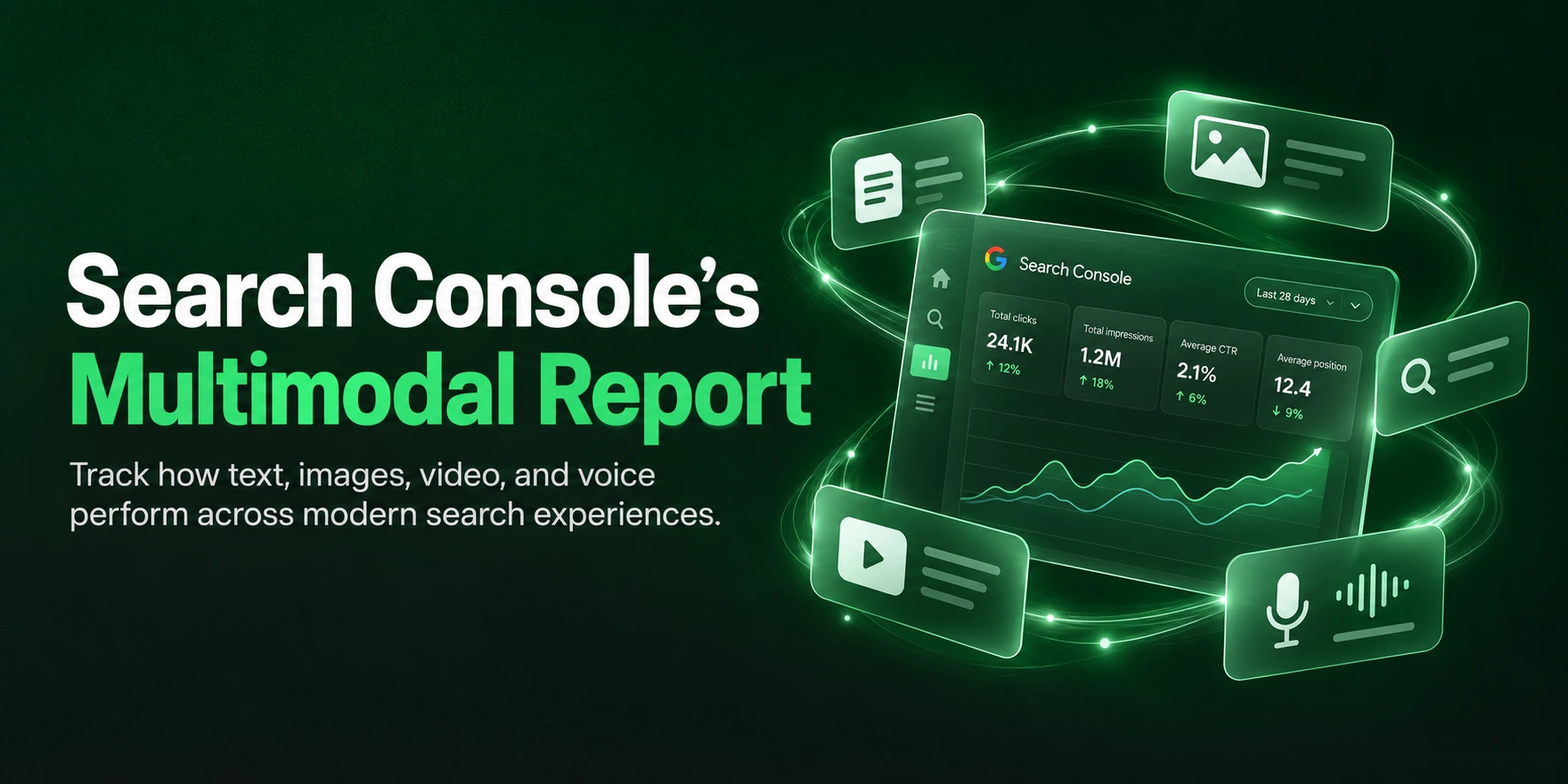
On 24 September 2026, Google began splitting the “Web” search type in Search Console’s Performance report into two: Web: text-based and Web: multimodal. Multimodal covers web results shown when an image was part of the search: Google Lens, Circle to Search on Android, image uploads to Google Search, and Chrome’s right-click “Search this image” option.
You can see clicks, impressions, click-through rate (CTR), and position by page, country, device, and date. You cannot see queries because the “query” was a photo or a screenshot.
For jewellery brands, this is more useful than it first looks. More people use Google Lens in India every month than in any other country, and jewellery is a category where shoppers can often see exactly what they want but cannot name it. For the first time, you can measure how often your designs are found by camera rather than by keyword.
Key Takeaways
- It is new data, not relabelled data: Google’s John Mueller confirmed that multimodal traffic “wasn’t previously in the counts.” When you look at trends, compare text-based with text-based.
- No queries, by design: Multimodal data has to be read page by page, not keyword by keyword.
- India is the world’s biggest visual search market: Google says Indians form its largest user base for visual and voice search, and that India leads the world in monthly Lens users.
- Jewellery has a vocabulary gap: A shopper who sees a guttapusalu necklace at a wedding may not know it is called that. A photo closes the gap, and this report measures it.
- Use a page-level “visual demand ratio”: Comparing multimodal and text-based impressions for each page shows which designs people find by photo, which they find by keyword, and where you are losing the click.
- Export a baseline this week: Multimodal data is not yet in the Search Console API, and Navratri begins on 11 October. The weeks before Dhanteras (6 November) are your benchmark for next year.
- What helps is image SEO done properly: Crawlable images, clear product photos, descriptive page text, and an accurate Merchant Center feed. There is no special “Lens markup”.
What Google Announced on 24 September 2026
Google published “Announcing web multimodal Search performance reporting in Search Console” on the Search Central Blog on 24 September 2026. PPC Land reports that it was written by Harsh Kharbanda, product manager lead for Google Lens, and Moshe Samet, product manager lead for Search Console. Google said the update “is designed to give you insights into how your content is surfaced when users search using images.”
The facts at a glance
| Detail | What Google and early coverage confirm |
| Announced | 24 September 2026, rolling out globally from that day |
| Where to find it | Performance > Search results > Search type. “Web” now splits into “Web: text-based” and “Web: multimodal” |
| Google’s definition | “Includes web search results where an image was used as part of the search” |
| Entry points covered | Google Lens, Circle to Search on Android, image uploads to Google Search, Chrome’s right-click “Search this image” |
| Metrics | Clicks, impressions, CTR, and average position |
| Dimensions | Pages, countries, devices and dates |
| Not available | Queries |
| Also appears in | The generative AI performance report (AI Overviews and AI Mode), impressions only |
| Earliest data | As early as 10 September 2026 on some properties |
| API | Not listed in the Search Analytics API documentation when checked on 25 September 2026 |
Text-only searches are now reported as “Web: text-based”. Search Console Help describes that type as traffic “originating from text queries entered into the standard Google search bar.”
How this differs from the Image search type
Search Console has long had an “Image” search type. It covers performance in Google Images, typically when someone types words and then browses image results. Web: multimodal works the other way round: the search starts with an image, and the results are web pages.
A shopper typing “gold jhumka” into Google Images is an Image search. A shopper circling a jhumka in an Instagram Reel on their Android phone is a multimodal search.
What the Report Does Not Tell You
Most early coverage focused on what the report shows. For jewellery brands making merchandising and marketing decisions, the limits matter just as much.
No queries: Google explains: “Because multimodal searches mostly use images rather than text, specific text query data isn’t available for this traffic.” You will not see the photo, the screenshot, or any words the shopper added.
No split by entry point: Lens, Circle to Search, uploads, and Chrome all arrive as one number. You cannot tell whether a page was found through a photo taken at a wedding or a screenshot of a Reel.
No history before September 2026: Data starts from around 10 September on some properties. There is no backfill, so you cannot compare against last year’s Diwali.
Not in the API yet: Dashboards and tools that pull data through the Search Console API still see only the combined Web figures. Export from the interface until this changes.
Position needs care: Google has not published how average position is calculated for visual results, which often appear as a grid of matches rather than a ranked list. Treat multimodal position as directional.
Staggered rollout. Some properties do not show the filter yet. It appears only once a site receives multimodal traffic.
The 10 September confusion
Soon after launch, SEO consultant Dave Smart asked on Bluesky whether these impressions had previously been counted inside “Web”, because he was “seeing corresponding drops in impressions and clicks starting the 10th on a few properties.” John Mueller first replied that he thought they had not been reported at all, then confirmed after checking with the Search Console team: “the data wasn’t previously in the counts; the report has new data.”
The practical rule: if you compare periods before and after 10 September, compare Web: text-based with Web: text-based. Do not compare this month’s “Web” total with last month’s and treat the difference as a gain or a loss.
Why This Matters More for Jewellery
India leads the world in visual search
| Signal | What Google has said | When |
| Lens users | “More people use Google Lens here every month than in any other country worldwide” | June 2025, repeated in India’s Year in Search 2025 |
| Visual and voice search | People in India form Google’s “largest user base for both voice and visual search globally” (Hema Budaraju, VP of product management, Search) | October 2025 |
| Visual search growth | Visual searches grew 70% year on year globally | December 2025 |
| Lens scale | Nearly 20 billion visual searches a month, about 20% of them shopping-related | October 2024 |
| AI Mode and Search Live | India was the first market outside the US to get AI Mode, now in 8 Indian languages; Search Live launched in India in English and Hindi | June to October 2025 |
One more Indian detail matters here. Android held 92.79% of India’s mobile operating system market in August 2026, according to StatCounter. Circle to Search is an Android feature, so India’s phones lean heavily towards the tools that feed this report. iPhone users can still search by image through Lens in the Google app, and desktop users through Chrome.
Jewellery’s vocabulary gap
Most product categories are easy to describe in words. Jewellery often is not. A shopper can see exactly what they want and still not know what to type, because the name depends on region, language, and craft.
| What the shopper saw | What they would need to type |
| A choker of tightly packed small gold beads at a Maharashtrian wedding | Kolhapuri thushi |
| A necklace with clusters of pearls hanging from a gold band | Guttapusalu |
| A necklace of gold coins with Lakshmi motifs | Kasu mala, or Lakshmi coin necklace |
| A broad gold waist belt at a South Indian wedding | Vaddanam (Telugu), odiyanam (Tamil) or kamarbandh (Hindi) |
| Crescent-shaped earrings with pearl drops in a Reel | Chandbali earrings |
| An uncut diamond choker with enamel work on the reverse | Polki, jadau and meenakari |
Before visual search, a shopper who did not know these words typed something vague, such as “heavy gold necklace with pearls hanging”, or gave up. Now they photograph it. SALT.agency describes the same pattern in hardware, where shoppers photograph a broken part they cannot name and land on replacement catalogues.
This is the point most coverage of the announcement missed. The multimodal report does not show queries, and for jewellery that is exactly why it is valuable. Many of these searches never had words. The report is the first direct measure of demand that keyword research could never show you.
Where jewellery photos come from
Think about the moments when a piece of jewellery catches an Indian shopper’s eye:
- A cousin’s wedding or sangeet, where the bride’s set is photographed from every angle
- A Reel or a celebrity wedding post, screenshotted and circled on an Android phone
- A family heirloom someone wants to recreate or match
- A store window, a trade show or a competitor’s catalogue
- A relative abroad forwarding a design they saw on a visit home
Each of these can end in a Lens or Circle to Search query. Your social content feeds this too. A design that performs well in Reels built to drive jewellery conversions is also a design people will screenshot and search, which is one more reason to plan social and search together, as we explain in our guide to marketing a jewellery business on social media.
How to Set Up the Report in 10 Minutes
- Open Google Search Console and select your property.
- Go to Performance > Search results.
- Click Search type and choose Web: multimodal. If you do not see it, your property may not have qualifying traffic yet, or the rollout has not reached it. Check again next week.
- Set the date range to the last 28 days and turn on clicks, impressions, CTR, and position.
- Open the Pages tab and export it. Repeat for Countries and Devices.
- Switch Search type to Web: text-based and export the same three tabs for the same date range.
- Save both exports in one spreadsheet, dated. This is your pre-festive baseline.
- Repeat every week through the festive and wedding season.
Two tips. First, Search Console keeps 16 months of Performance data, so this year’s festive export only becomes next year’s benchmark if you save it. Second, when you compare the two search types for a specific product, add a page filter before switching, so you compare like with like.
If your team uses a dashboard built on the Search Console API, add a manual export step until Google adds multimodal data to the API.
Reading the Data Pages Outward: The Visual Demand Ratio
Without queries, you have to work from pages outward: start with which pages earn visual impressions, then ask why. We use a simple planning metric for this, which we call the visual demand ratio.
Visual demand ratio = multimodal impressions ÷ text-based impressions, for the same page and the same date range.
This is our working framework, not a Google metric. It is useful because it separates two kinds of demand:
- A product with a high ratio is found mostly by photo. People recognise the design but do not search for it by name.
- A product with a low ratio is found mostly by keyword. People know what to call it, or they search for your brand.
A worked example (illustrative numbers)
| Page | Text-based impressions | Multimodal impressions | Visual demand ratio |
| Guttapusalu pearl necklace | 1,200 | 900 | 0.75 |
| Polki chandbali earrings | 2,500 | 1,400 | 0.56 |
| Blog: types of temple jewellery | 6,000 | 2,100 | 0.35 |
| 22K plain gold chain, 20 g | 8,000 | 160 | 0.02 |
In this example, the gold chain is a keyword product. People search “22 carat gold chain 20 gram” and compare prices. The guttapusalu necklace and the polki chandbalis are visual products: people find them by showing Google a picture. They need different work, which section 7 covers.
Read small numbers with caution. A page with 12 multimodal impressions tells you very little. Look for pages with enough volume to show a pattern over several weeks.
A diagnostic table for jewellery sites
| What you see | What it often means | What to check first |
| High multimodal impressions, low multimodal CTR | Your image matched, but the shopper chose another result: a cheaper lookalike, a clearer photo, or a listing with price and ratings | Main image crop and background, price shown against price on the page, product title, reviews |
| Bestsellers with almost no multimodal impressions | Google may not be finding or understanding your product images | Whether images sit in standard HTML image elements, lazy-loading without a fallback, or a blocked image CDN; use URL Inspection |
| Multimodal impressions concentrated on blog or guide pages | Google is using your content to explain or identify designs | Link each guide to matching collections; accept that many of these searches end on the results page |
| Multimodal impressions from the UAE, the US, the UK or Singapore | Overseas shoppers may be identifying Indian designs by photo | International shipping, duties, currency, and WhatsApp contact on those pages |
| Multimodal clicks landing on sold-out or discontinued products | Demand for a design you no longer stock | Restock, or keep the page live with similar designs instead of returning a 404 |
| Multimodal impressions on your homepage or store pages | People photographing packaging, shopping bags, store signs or ads | Consistent logo and brand name on packaging; current Google Business Profile photos |
| Multimodal share rising for one category before a festival | An early visual demand signal | Move creative and ad budget towards that design family |
The last row is where this report can pay for itself. Keyword tools lag behind trends. A rising visual demand ratio for, say, kasu malas in the weeks before a South Indian wedding muhurat season is a signal you can act on in merchandising, photography and performance marketing.
Connect it to revenue
Search Console stops at the click. To judge value, match your high-ratio pages against landing page revenue, enquiries and store appointment bookings in GA4. GA4 cannot label a visit as multimodal, so this is an approximation: you are asking whether pages that people find by photo convert differently from pages they find by keyword.
Jewellery is also heavily ROPO (research online, purchase offline). A shopper who searches a photo, finds your design, and then walks into your store will not appear as an online sale. Add “I searched a photo or screenshot” as an option in your in-store “How did you hear about us?” question.
What Influences Visual Matches, According to Google
There is plenty of speculation about “Lens SEO”. Google’s own documentation is short and clear.
On how Lens ranks results, Google says Lens “compares objects in your picture to other images, and ranks those images based on their similarity and relevance to the objects in the original picture.” It also uses “other helpful signals, such as words, language, and other metadata on the image’s host site, to determine ranking and relevance.” For products, Lens “may also rely on available signals, like the product’s user ratings.” And Google states that “Lens’ algorithms aren’t affected by advertisements or other commercial arrangements.”
So three things matter: the image itself, the page around the image, and product signals.
Google’s image SEO documentation adds the technical basics:
- Use standard HTML image elements. Google does not index CSS background images.
- For responsive images, use srcset or a picture element, and always include a fallback src.
- Use short, descriptive filenames and descriptive alt text, without keyword stuffing.
- Submit an image sitemap if Google might miss images, including images hosted on a CDN.
- Use the same URL for the same image across your site.
- Indicate your preferred image with og:image or structured data, and include the image property in Product structured data.
Google’s July 2026 guide to its generative AI features also confirms that no special markup is needed to appear in AI search experiences. Good images, crawlable pages and accurate product data are the foundation.
The Jewellery Visual Search Playbook: 9 Actions
1. Photograph designs the way shoppers photograph them
A shopper’s photo is rarely a white-background packshot. It is a necklace on a person at a wedding, or a pair of earrings in a Reel.
Give Google both kinds of images to match against:
- Main image: the product alone on a white or plain background. Google Merchant Center recommends that the product fill 75 to 90% of the frame, with no watermarks, logos, borders, or promotional text. It recommends 1500 x 1500 pixels or larger, and will require at least 500 x 500 pixels from 31 January 2027.
- Additional images: worn on the neck, ear, wrist, or hand, at a natural angle and in natural light. Add close-ups of the motif and the clasp, and the reverse for kundan or meenakari pieces.
3D renders are useful for consistency and for variants that are not yet manufactured. Keep them faithful to the finished piece. A shopper who matches a photo to your render and receives something different will not come back.
2. Put the name of the design in words next to the image
Lens uses the words on the host page. This is where you close the vocabulary gap from your side.
On each product page, write:
- The design name and the traditional term: “Guttapusalu necklace with pearl clusters”
- Regional names where they differ: “Vaddanam (also called odiyanam or kamarbandh)”
- Metal, karat, and weight: “22K (916) gold, approx. 38 g”
- Stones and certification: “Polki (uncut diamonds), IGI certified”
- Occasion and styling: “Traditional Telugu bridal wear”
Put all of this in crawlable text, not only inside images or a size-guide PDF. Many jewellery sites show specifications as graphics. Google cannot use words it cannot read.
3. Fix the gallery code that hides your images
Jewellery product pages often rely on zoom widgets, 360-degree viewers, and sliders. Some of these load images as CSS backgrounds, only through JavaScript, or through lazy-loading without a proper src.
Check your top 20 product pages:
- Run URL Inspection in Search Console and view the rendered HTML. Are the product images present as image elements?
- Is your image CDN blocked in robots.txt?
- Do image URLs change with every deployment or theme update?
These are usually quick fixes for a capable web development team. Our guide to choosing a platform for a jewellery website explains how different ecommerce platforms handle product media.
4. Keep prices fresh, because gold does not wait
When Lens returns shopping results, it shows prices. Gold moves every day. On Policybazaar’s figures, 22K gold was ₹1,43,850 per 10 grams on 21 September 2026 and ₹1,40,950 on 28 September. That is a ₹2,900 swing per 10 grams in one week, or about ₹5,800 on a 20-gram necklace before making charges and GST.
If your product feed updates weekly while your website updates daily, the price a shopper sees in a visual result may not match your page. That costs clicks and can trigger price mismatch issues in Merchant Center. Sync your feed with your gold rate updates, and show how each price is built (gold value, making charges, stone value, GST) in text on the page. For how Shopping fits into your channel mix, see our comparison of Google Shopping vs Meta Ads for jewellery brands.
5. Show trust in the images and in the text
A shopper who finds you through a photo may never have heard of your brand. For a purchase worth lakhs, trust decides whether they stay. Include a clear close-up of the BIS hallmark and purity grade, and explain in text that every hallmarked piece carries its own 6-digit HUID, which buyers can verify on the BIS Care app. Show diamond certificates as images and summarise them in text. Our guide to increasing jewellery website conversion rates covers more trust elements for product pages.
6. Publish identification guides with original photos
Some of your strongest multimodal pages may not be products at all. A guide such as “Types of South Indian temple necklaces, with photos” helps shoppers identify what they saw, and gives Google clear, labelled images in context.
Be realistic about what these pages deliver. SALT.agency points out that informational pages can collect many visual impressions but few visits, because the results page may already answer the question. Write these guides to help, link every design to its matching collection, and judge them on enquiries and assisted sales, not clicks alone.
7. Do not create a page for every visual variant
It is tempting to publish a separate page for every colour, stone, and angle to “catch” more visual matches. Google’s spam policies treat generating many pages primarily to manipulate rankings as scaled content abuse. Use proper product variants, give each real variant its own accurate images, and keep one strong page per design.
8. Keep sold-out design pages useful
If a design goes viral in Reels months after you stopped making it, shoppers will keep photographing it. A 404 page wastes that demand. Keep the page live, mark it clearly as sold out, and show the closest designs in stock or a made-to-order enquiry option.
9. Refresh your Google Business Profile photos
For store-led jewellers, people also photograph storefronts, shopping bags and signage. Keep your Google Business Profile photos current, including the store exterior, interior and key collections. Our guide on Google Maps visibility for jewellery stores covers the local side in detail.
Multimodal Data in AI Overviews and Mode
The same filter now appears in Search Console’s generative AI performance report, which Google introduced in June 2026 and rolled out worldwide by 31 August. Set Search type to Web: multimodal in that report to see how often your pages appeared in AI Overviews or AI Mode after a search that started with an image.
Two limits apply. The generative AI report shows impressions only, not clicks. And it shows no queries for any search type.
For jewellery, this is where visual and AI search meet. A shopper can photograph a necklace and ask AI Mode, in Hindi or English, what the style is called, roughly what it would cost in 22K gold, and where to buy it. If your pages describe the design, metal, weight, and price clearly, you give those answers something accurate to cite. We covered how AI assistants choose which brands to mention in our article on how ChatGPT, Gemini, Claude and Perplexity recommend jewellery brands.
Google also added a Search Console control that lets sites opt out of its generative AI features. Sites that opt out lose impressions and traffic from those features. For most jewellery brands, that would mean disappearing from exactly the photo-led questions described above, so think carefully before using it.
A Festive Season Timeline
Visual demand for jewellery is seasonal, and this year’s calendar leaves only a few weeks before the peak.
| Date | Occasion | What to have done by then |
| This week (from 28 September) | Baseline | Export multimodal and text-based data for pages, countries and devices |
| 11 October | Sharad Navratri begins | Fix image indexing on your top 50 products; sync feed prices with daily gold rates |
| 20 October | Dussehra | Add design names, regional terms, and specifications in text to festive and bridal collections |
| 29 October | Karwa Chauth | Check visual demand ratios on gifting and mangalsutra pages; add on-model images |
| 6 November | Dhanteras | Compare multimodal CTR with your baseline; fix pages with high impressions and low CTR |
| 8 November | Diwali | Keep sold-out festive pages live with alternatives |
| November to February | Wedding season | Review weekly; move creative towards rising design families |
Festival dates follow published panchang calendars and can vary by region.
For how visual search fits into a wider plan across SEO, social, performance and retail, see our guide on how to market a jewellery brand in India.
Five Misreadings to Avoid
“Our web traffic dropped on 10 September.” Probably not. Google says multimodal is new data. Compare text-based with text-based.
“Multimodal is just Google Images.” No. The Image search type covers Google Images. Web: multimodal covers web results triggered by a search that used an image.
“Alt text is all Lens needs.” Alt text helps accessibility and gives Google context, but Lens compares the image itself first and then uses the page around it. A poor photo with perfect alt text still loses.
“We need special schema for Lens.” Google says no special markup is needed for its AI features. Standard Product structured data with an image property still helps Google understand products, and it must match what is visible on the page.
“Position 1 in multimodal means we are the top Lens result.” Google has not explained how position works for visual results. Treat it as directional, and focus on impressions, CTR, and trends over time.
When This Report Should Not Be Your Priority
Before you invest time here, check whether any of these apply:
- You have no multimodal data yet: If the filter does not appear or the numbers are tiny, fix image indexing first and revisit in a month.
- Your site has basic indexing problems: If product pages are not indexed, visual search work will not help.
- You sell mainly through marketplaces: If most revenue comes from Amazon, Myntra, or similar platforms, your listing images there may matter more than your own site for now.
- You sell mostly commodity pieces: Plain chains, coins, and bars are bought by keyword, weight, and price. A low visual demand ratio is normal, and that is fine.
- You need sales this week: This report is a measurement tool. For immediate festive revenue, paid campaigns are the faster lever.
How Kyros Solution Helps Jewellery Brands With Visual Search
Kyros Solution is a digital marketing agency headquartered in Surat, the city where most of the world’s diamonds are cut and polished. We work with D2C jewellery and lifestyle brands in India. Visual search sits exactly where our SEO, content, design, and development teams already work together.
Our jewellery SEO and GEO services now include:
- Visual search audit: how your bestsellers appear when searched by photo, whether Google can index your product images, and where gallery code, feeds or page text are holding you back
- Multimodal reporting: a monthly visual demand report by page, country and device, tied to enquiries, store bookings and sales
- Product page content: design names, regional terms, specifications and price breakdowns written for Indian buyers by our content marketing team
- Image and gallery fixes: product galleries that Google can read, designed by our UI and UX team, plus photography direction and 3D renders that stay true to the finished piece
- Feed health: Merchant Center feeds kept in step with gold rate changes
How an engagement usually starts:
- A photo test on your 20 bestsellers: We search each one by image, the way a shopper would, and record whether your page, a marketplace listing or a lookalike appears first.
- A technical and feed check: Image indexability on your top product pages, Merchant Center image and price issues, and gaps in product page text.
- A baseline visual demand report from your Search Console data, with a prioritised fix list you can act on before Dhanteras.
If your multimodal numbers are still too small to read, we will tell you so and recommend starting with image indexing and product page content rather than a reporting retainer.
You can see how we study category leaders in our Tanishq case study.
Want to know how your designs perform when shoppers search by photo? Ask for a visual search audit through our SEO and GEO services page. We will show you which designs people find by camera, where you are losing the click, and what to fix before Dhanteras.
FAQs
What is Web: multimodal in Google Search Console?
It is a search type in the Performance report, rolled out on 24 September 2026. It shows how your pages perform in web results when an image was part of the search, through Google Lens, Circle to Search on Android, image uploads to Google Search, or Chrome’s “Search this image” option.
Why are there no queries in the multimodal report?
Because the search started with a photo or screenshot, not typed words. Google says specific text query data isn’t available for this traffic. Analyse it by page, country, device, and date instead.
Is Web: multimodal the same as the Image search type?
No. The Image search type covers results in Google Images. Web: multimodal covers web results triggered by a search that used an image.
Why can’t you see the multimodal filter in your Search Console?
The rollout is global but staggered, and the filter appears only when your site receives multimodal traffic. If you still do not see it after a few weeks, check whether Google can index your product images.
Did your traffic drop because of the new filter?
Google’s John Mueller confirmed that multimodal data was not previously counted, so it has not been taken out of your text-based numbers. Compare text-based data with text-based data across periods.
Can you get multimodal data through the Search Console API?
Not yet, based on third-party checks of the API documentation on 25 September 2026. Export from the Search Console interface for now.
How can your jewellery show up in Google Lens results?
Use clear, high-quality product images in standard HTML image elements, describe each design in text on the same page (name, metal, karat, weight and stones), keep image URLs stable, and keep your Merchant Center feed accurate. Google says Lens ranks results by visual similarity and relevance, and uses the words and metadata on the page that hosts the image.
Does alt text help with Google Lens?
It helps Google understand the image and is essential for accessibility, but it is not enough on its own. Lens compares the image itself first, then uses the surrounding page for relevance.
Does Circle to Search work on iPhone?
Circle to Search is an Android feature. iPhone users can search by image with Google Lens in the Google app or in Chrome. Lens searches are included in the multimodal report.
How often should a jewellery brand check the multimodal report?
Weekly through the festive and wedding season, then monthly. Export the data each time, because it is not yet available through the API.
Does visual search traffic convert for jewellery brands?
Google has not published conversion data for multimodal traffic, so measure it yourself. Compare landing page revenue, enquiries, and store bookings for pages with high visual demand ratios against your other pages over a full season.